Guap, inside the AI you already use.
Pick your AI and follow the steps. It takes about a minute. Once connected, ask it to find jobs, check your profile or draft an application; Guap asks you before anything is sent.
https://api.guap.work/user/mcpAny Claude plan. The Free plan allows one custom connector.
A few steps, then you approve.
The steps for your AI, and a short video that plays each one as you go.
Open Connectors
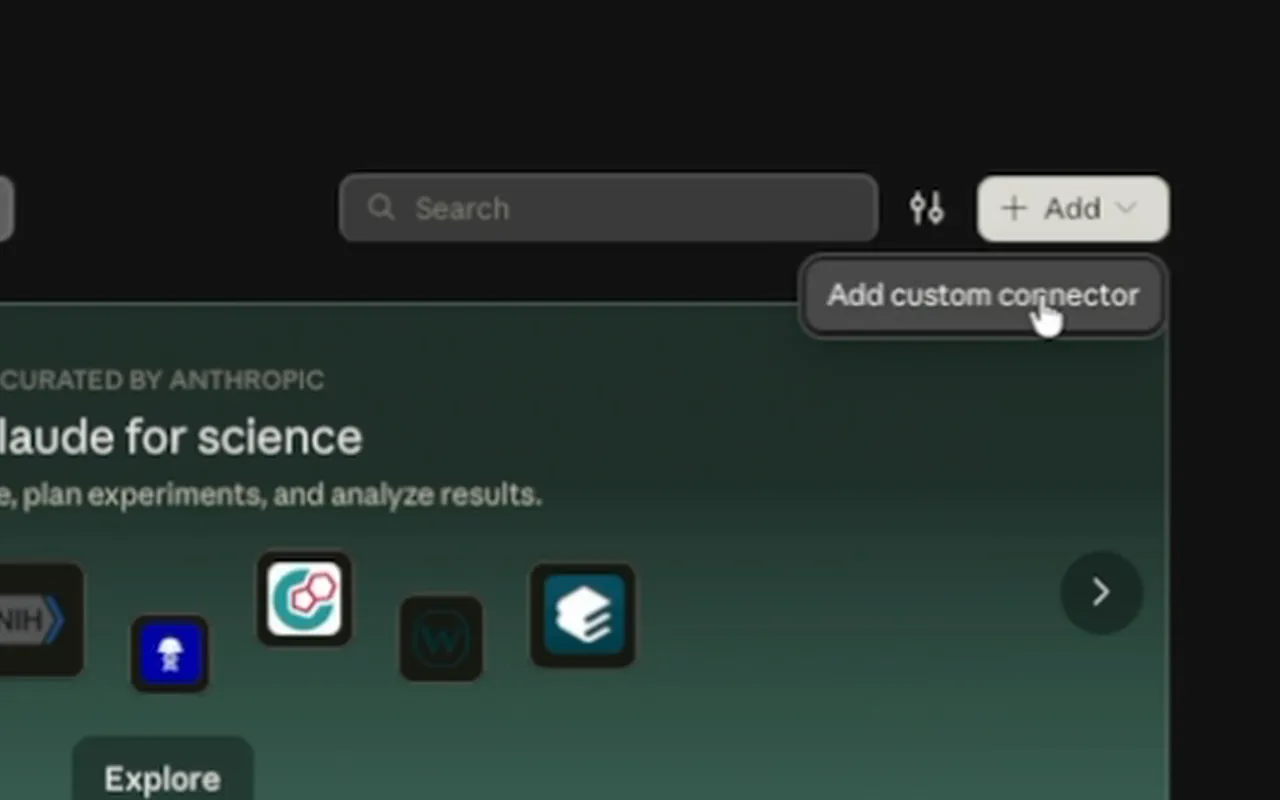
In Claude, open Customize in the sidebar, then Connectors. Click + Add, then Add custom connector. (Add to Claude above opens this for you.)
Name it and paste the address
Name it Guap, paste the address and click Continue.
Keep the defaults and add
Sign in now and Claude's published identity are already chosen. Click Add.
Connect and approve
Click Connect. Guap opens: sign in, check what Claude may do and approve.
Turn it on in a chat
In a new chat, open +, then Connectors, and make sure Guap is on. Then ask about jobs.
Ask in plain words.
Once Guap is connected, these work in any chat with your AI.
“Find me a calm design job near Bucharest.”
Searches Guap and ranks by fit
“What's missing from my profile?”
Reads your Guap profile
“Apply to the top one.”
Drafts it; you approve in Guap first
What people ask before they connect.
Is it safe?
Your AI connects through a Guap sign-in that you approve, on a Guap page, and it can do only what you tick there. Sending an application or spending credits is never ticked for you, and nothing goes to an employer until you approve it in Guap. Guap logs each action the AI takes, and you can disconnect it at any time.
What can my AI see?
What you allow when you connect it: your account summary, jobs and the status of your applications, and, if you tick them, your profile and the text of your CVs. Drafting applications lets it see the answers Guap would fill in, such as your email and phone. Sensitive details such as visa, gender or disability are never shared. What it reads is sent to that AI company and handled under its terms.
How do I disconnect?
In Guap, open Settings, then Connected AI apps, and disconnect it there. The same page lists what each connected AI did.
Does it cost credits?
Connecting is free. Only actions that cost credits in Guap cost them here, and only if you allowed spending when you connected, up to the limit you chose.
Why only ambassadors?
First Sip ambassadors get new things first, and connecting your AI is one of them for now. Anyone can read this guide. Join First Sip