Autofill job applications
on any careers site.
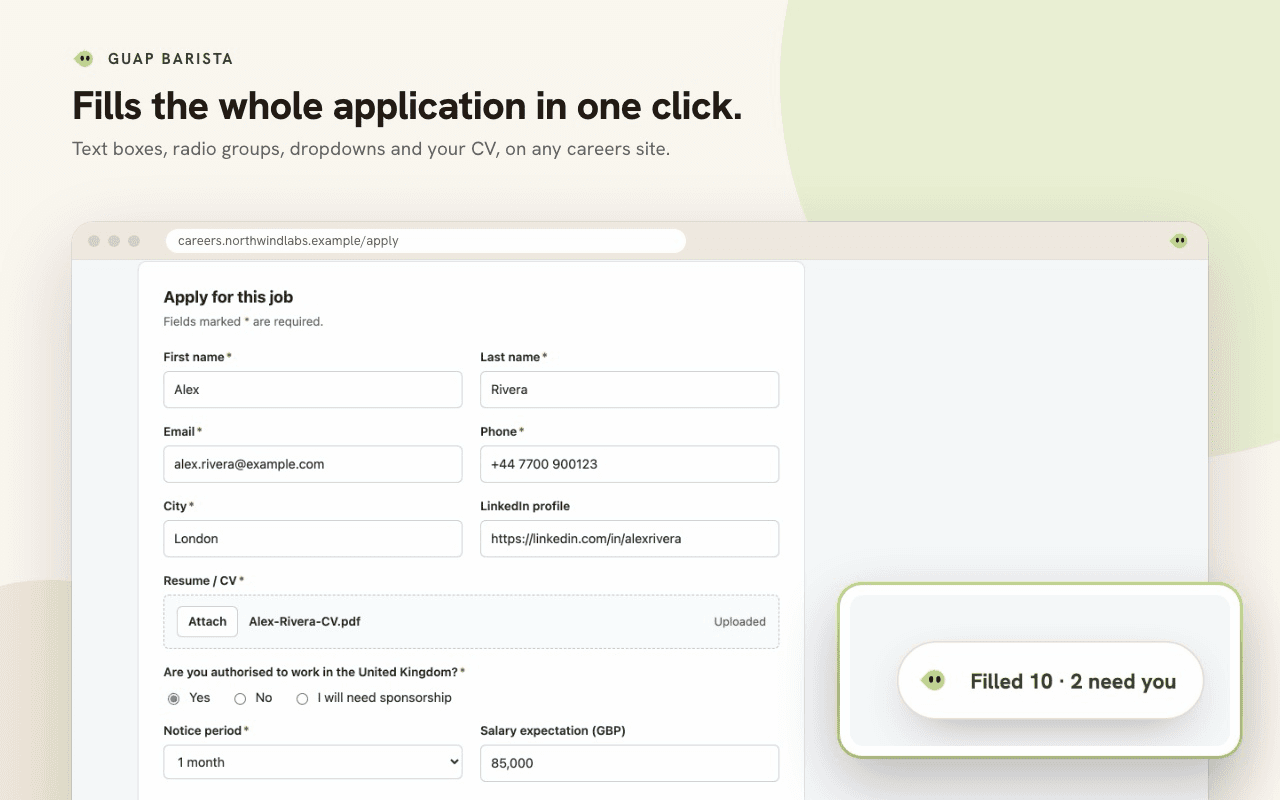
The same forty fields, again and again. Barista fills them from the profile you already wrote, on whatever job site you are on. Not just the text boxes: the radio groups, the checkboxes and the dropdowns that are not really dropdowns.
Free on the Chrome Web Store, for Chrome, Edge, Brave, Arc and other Chromium browsers.
- Full name
- Phone
- Are you authorised to work in the UK?radio group
- Notice periodnot a select
- Open to relocatingcheckbox
Any careers site with a form.
Barista knows the applicant tracking systems most employers use by name, and fills the company careers pages it has never seen by reading their labels. It never reads sign-in or payment pages.
- Workday
- Greenhouse
- Lever
- Ashby
- SmartRecruiters
- Workable
- iCIMS
- Oracle Taleo
- SAP SuccessFactors
- BambooHR
- Teamtailor
- Recruitee
- JazzHR
- Jobvite
- Breezy HR
- Pinpoint
- Eightfold
- Avature
- ADP Workforce Now
- Paylocity
- Dayforce
- and company careers pages
It writes the open questions.
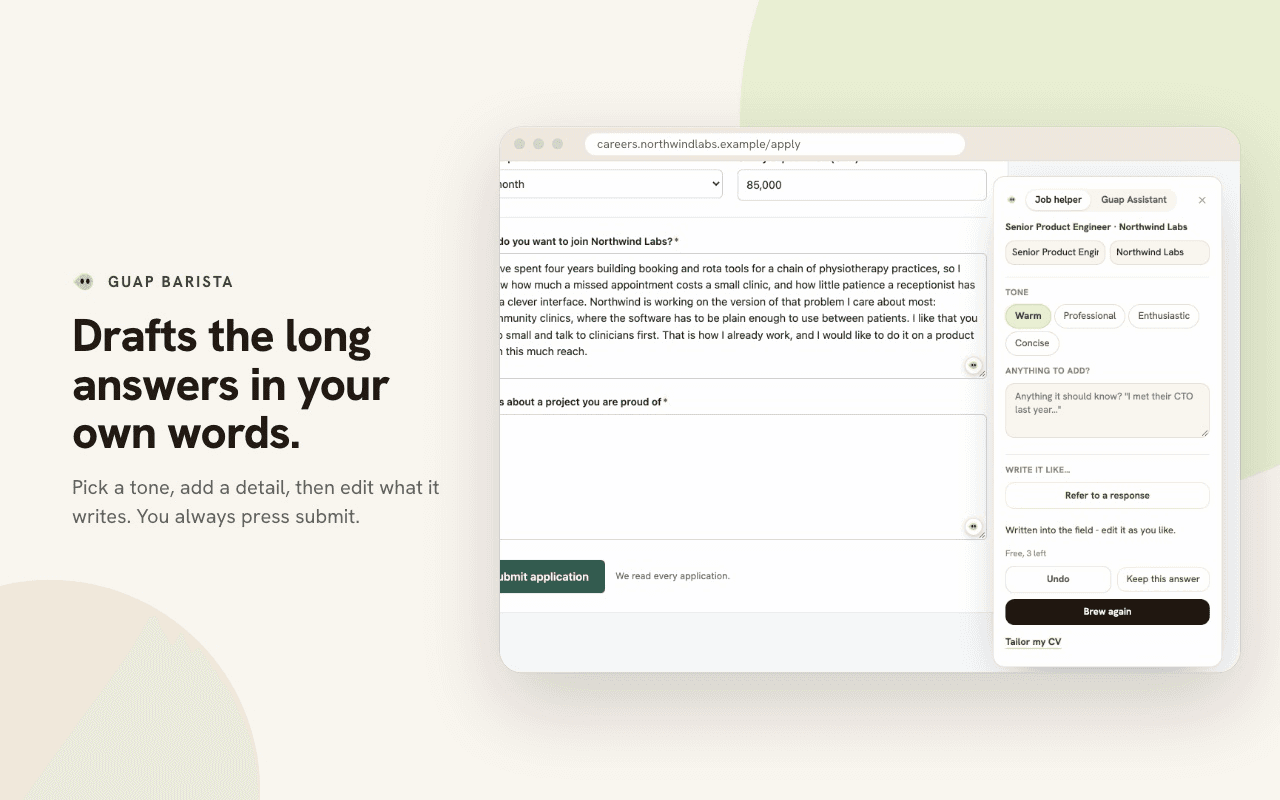
The ones that take twenty minutes and end up sounding like everyone else. Barista drafts an answer from what you have already written, and you edit it rather than start it.
Pick any one to watch it again.
- Senior DesignerVelvet Coffee Roasters2023 - 2026
- Product DesignerNorthbank2021 - 2023
- Checkout rebuildowned end to endproject
The roles, dates and projects it already has. Nothing invented.
It tailors what you send.
A generic CV and a generic letter are the two things a reviewer can spot in four seconds. These are shaped around the job in front of you.
The cover letter
Drafted against this posting and your profile, in the tone you already write in. Open it in the composer, change what you want, send it.
- Reads the posting
- Reads your profile and saved answers
- Drafts the letter
50¢ of credit per letter
The CV
Barista assembles the tailoring prompt from your LaTeX CV and the posting, and hands it to you. You paste it into your own Claude, ChatGPT or Gemini and it does the writing.
- Reads the posting
- Reads your LaTeX CV
- Builds the prompt, ready to paste
50¢ of credit per prompt. No model runs on our side
It tracks what happens next.
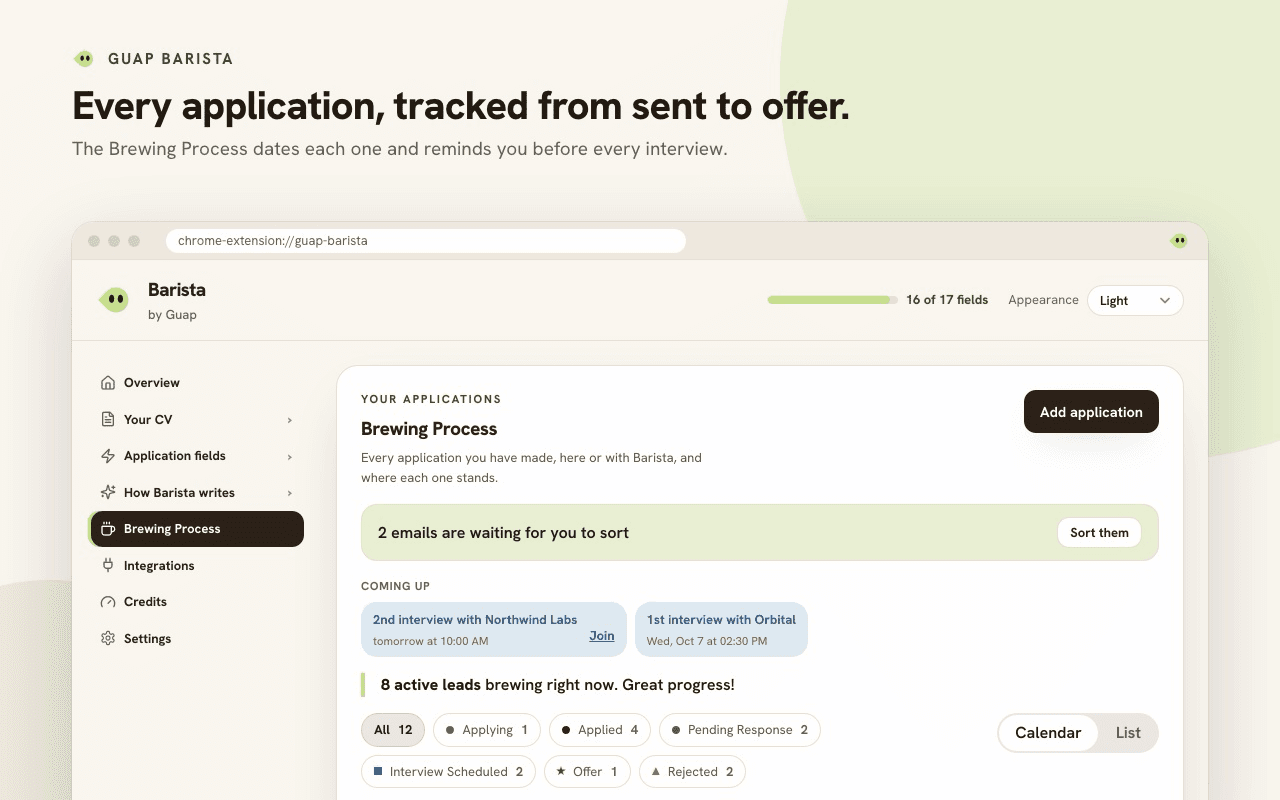
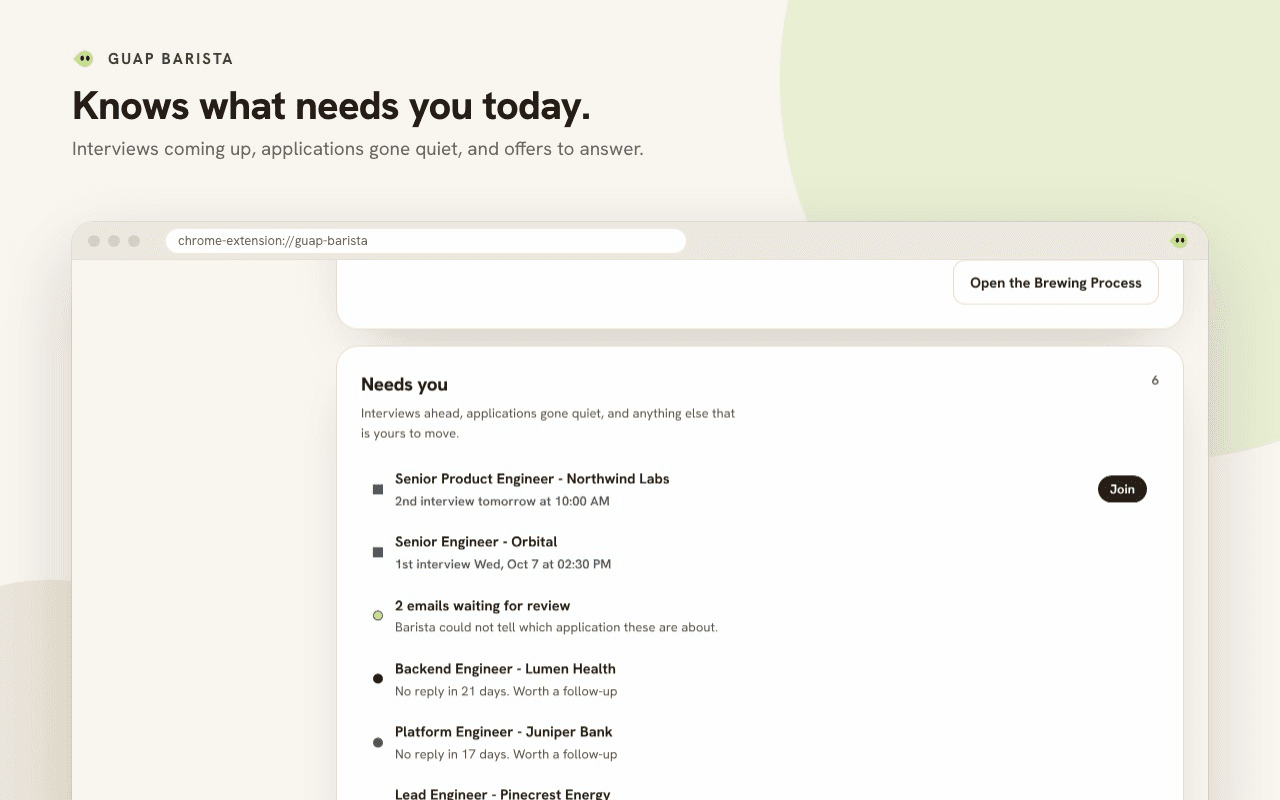
Every application you send becomes a dated event with a stage. No spreadsheet, and nothing to remember to update on the evening you get the reply.
- Mon 14AppliedSenior DesignerVelvet CoffeeFiled when you submitted the form
- Tue 15Pending ResponseProduct EngineerNorthbankTheir acknowledgement, forwarded
- Thu 17Interview ScheduledSenior DesignerVelvet Coffee2:00 PM, with a reminder the day before
- Mon 21OfferDesign EngineerHarrow LabsMoved by hand, in two taps
- Email can move a stage.
Barista reads a Gmail tab you already have open, and takes anything you forward to your own tracking address. You turn each on.
- Interviews raise reminders.
A scheduled interview carries the hour, the round and the link, and tells you the day before.
- It is the same list on the web.
The extension and your Guap account show one calendar, not two.
Pay once. Use it whenever.
Filling forms and tracking applications are free. Credit you buy once pays for the AI: 20¢ an answer, and your first ones are free.
- Credit pack$1onceAbout 1 application$1.00 of credit
- Credit pack$2onceAbout 2 applications$2.00 of credit
- Credit pack$5onceAbout 5 applications$5.00 of credit
- Most popular$10onceAbout 11 applications$10.00 of credit
- +10%$25onceAbout 32 applications$27.50 of credit, $2.50 extra
- +20%$50onceAbout 70 applications$60.00 of credit, $10.00 extra
Tax is added at checkout. Credit never expires, and nothing renews.
See every priceFree on the Chrome Web Store.
Add Barista to your browser, sign in once, and the next job form fills itself from your Guap profile.
Free to install. It signs into the Guap account you already have, or makes you one.
Early to Barista? Become a First Sip ambassador
- 1Barista appears beside the address barPin it once and it is there on every job site you open.
- 2You sign in from the extensionIt opens a tab, you confirm, and the tab closes itself. The extension keeps its own sign-in, so nothing here hands it a password.
- 3It finds the account you already haveYour profile, saved answers and applications are the ones on guap.work. Change either side and the other follows.
The extension, as it runs.
What people ask before they install it.
What is Barista?
Barista is Guap’s free Chrome extension for job applications. It fills application forms on any careers site from your Guap profile, drafts the open questions in your own words when you ask it to, and tracks every application from sent to offer.
Which job sites does Barista work on?
Any careers site with an application form. It knows the common applicant tracking systems by name, including Workday, Greenhouse, Lever, Ashby, SmartRecruiters, Workable, iCIMS, Taleo, SuccessFactors, BambooHR and Teamtailor, and fills company careers pages it has never seen by reading their labels. It never reads sign-in or payment pages.
How does Barista fill a form?
It reads each question on the page, matches it to your profile and your saved answers, and fills it: text boxes, radio groups, checkboxes, dropdowns, custom dropdowns that are not real selects, and your CV upload. A question it cannot answer is left for you, and Barista says how many need you.
Does Barista submit applications for me?
No. Barista fills the form, you check it and press submit yourself. When the application goes through, Barista adds it to your tracker and offers an undo.
How much does Barista cost?
Installing it, filling forms and tracking applications are free. AI drafts, cover letters and CV reads are paid per use from credit you buy once: it never expires, nothing renews, and every account gets its first AI answers free. Every price is on the pricing page.
Which browsers does Barista work in?
Chrome, and the browsers that install from the Chrome Web Store: Edge, Brave, Arc and Opera. There is no Firefox or Safari version yet; this page takes your email for the waitlist.
What does Barista read?
The application form on the page you are filling, to match its questions to your profile. It reads your Gmail inbox list only if you switch email tracking on, which is off until you do, so a reply can move an application along. The privacy policy lists everything it collects.
Do I need a Guap account?
Yes. You sign in from the extension, and Barista uses the profile, saved answers and applications on your Guap account, so the website and the extension always agree.